
Introducing our latest feature: Control Center Integration for iOS, designed to bring seamless task management directly to your fingertips. With this update, you can effortlessly incorporate essential Opus One functions, such as creating a New Task, updating your Mission Statement, and adding a New Item, directly into your Control Center.
This innovative feature enhances your productivity by providing instant access to your key tasks and notes, no matter where you are on your device. Now, you can manage your responsibilities and jot down important thoughts with just a few taps, streamlining your workflow and making it easier than ever to stay organized. Enjoy the convenience of accessing your most important tools at any moment, maximizing your efficiency and ensuring you never miss a beat.

With this update, you can easily add Opus One functions like New Task, Mission Statement, and New Item to your Control Center for quick access.
Mastering on Control Widgets to get everything done in an efficient way
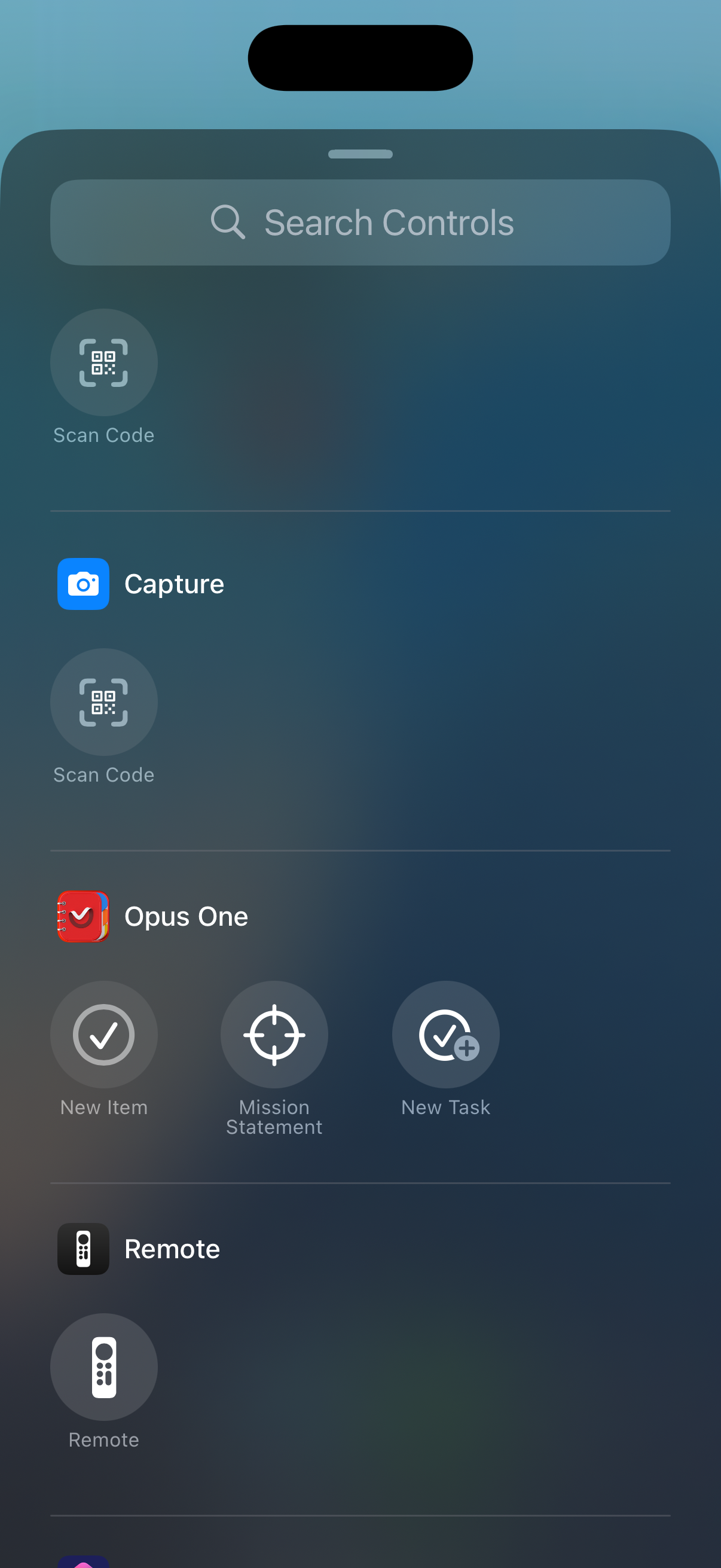
Add New Task or Mission Statement
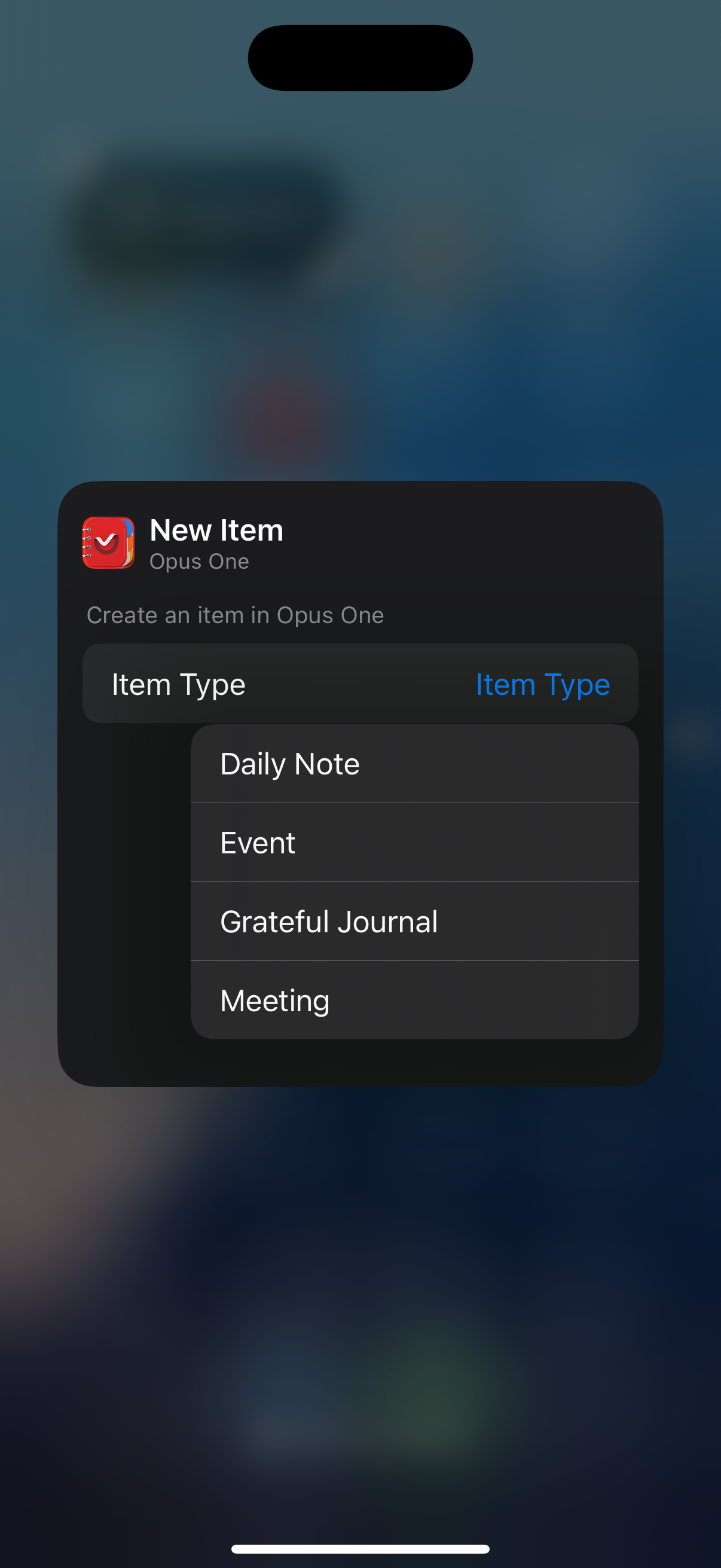
Control Center Panel
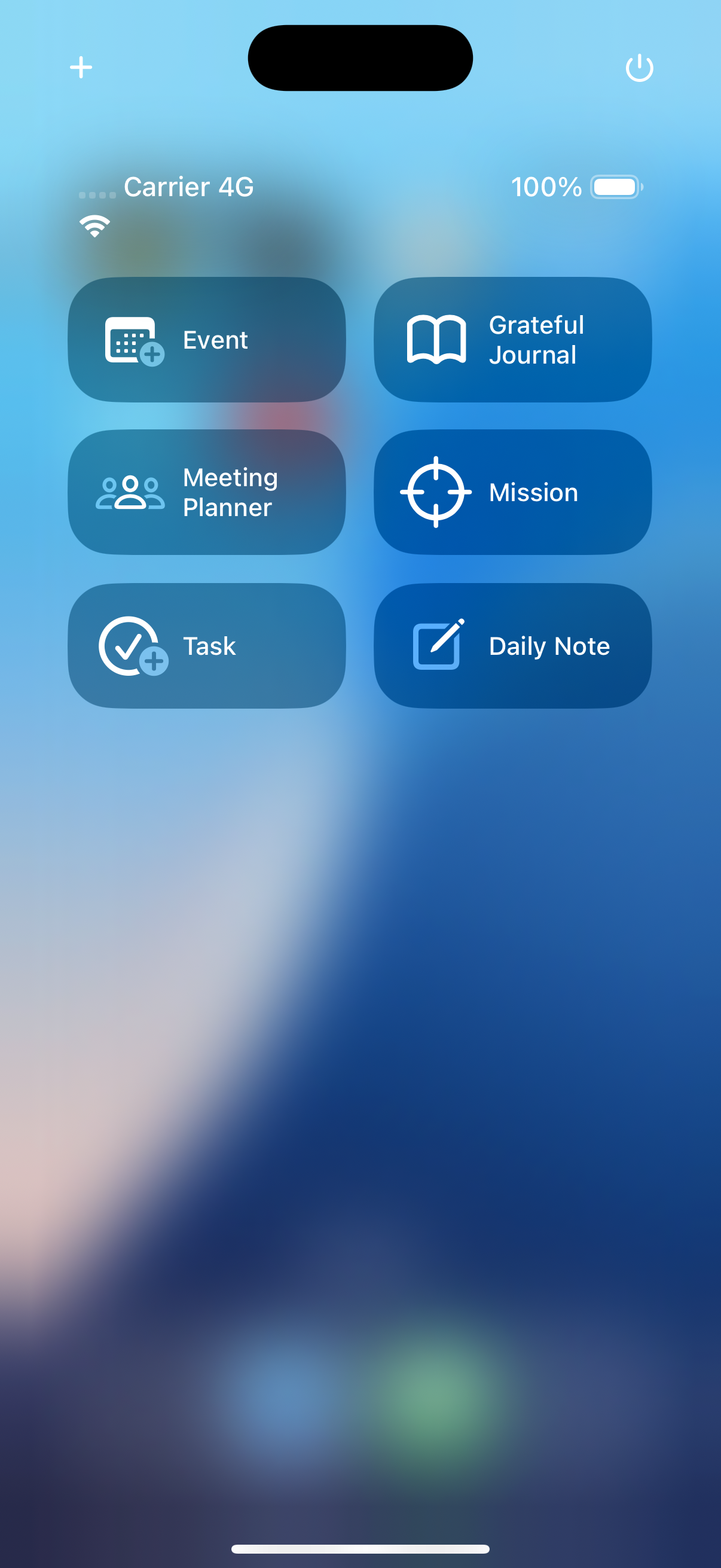
Instant Access to Opus One Features
Necesitas ayuda?
Si tienes alguna pregunta o necesitas ayuda con la aplicación, ¡no dudes en ponerte en contacto con nosotros!Estamos más que felices de ayudarte.
 Spanish
  English